Tutorials
New Timezone Feature

Sebastian Klassman
Author
May 1, 2024
1 min read
A new feature which allows to use the timezone from the API server has been added.
The setting can be found in the Admin dashboard. Under Portal Settings > Campaign Settings.

Scroll down to Campaign Date and check “Use server timezone”.
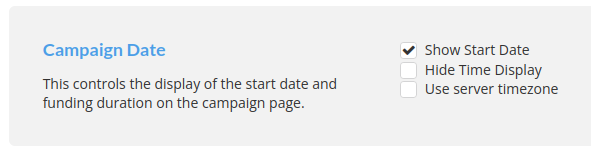
Once enabled the timezone displayed on the campaign will be loaded from the API.
